Voicebox DS
Voicebox DS is my fork of Voicebox, the open-source desktop app for local voice cloning, speech generation and dictation. Models run on your own machine, and your voices and recordings stay there. The fork adds Projects, a studio for script-based narration, along with a reworked interface, more local models, faster inference on Apple Silicon and a much larger test suite.
The repository is doublesharp/voicebox-ds and the integration branch is doublesharp. It includes every upstream change so far and is 468 commits ahead. Like upstream, it's a Tauri desktop app with a React interface and a local Python server.
Build and run it
There's no notarized release yet. Builds are made by hand from the doublesharp branch: the macOS build is an Apple Silicon Voicebox.app, and the Windows build is an installer with an optional CUDA backend for NVIDIA GPUs. To run it from source, you need Bun, Rust, Python 3.12 and just.
git clone https://github.com/doublesharp/voicebox-ds
cd voicebox-ds
just setup
just dev
Models download from inside the app on the Models page. Nothing is sent to a cloud service unless you connect one yourself.
Workflow and interface
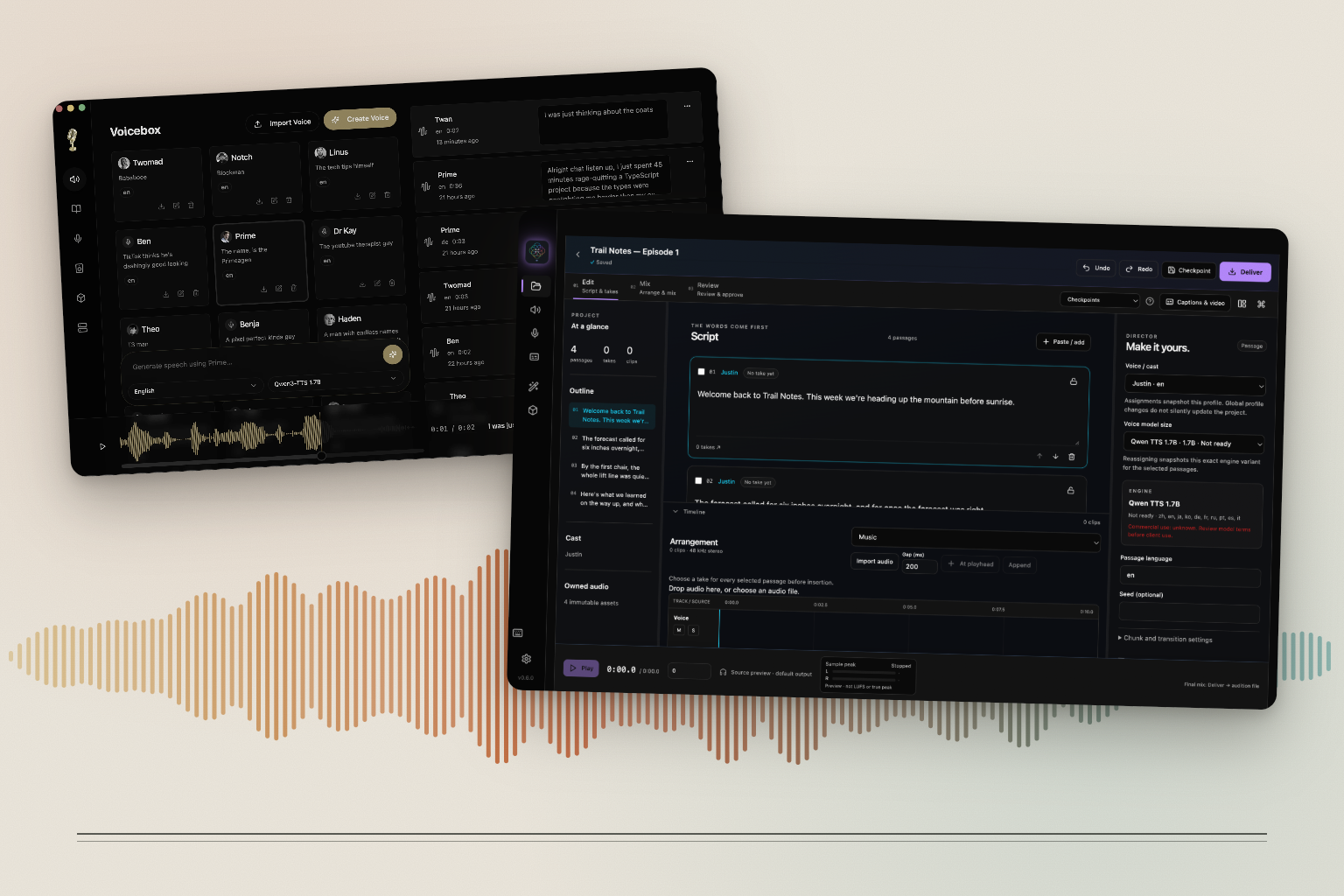
A labeled sidebar separates creating (Projects, Generate, Voices, Captures) from tools (Effects, Models). Generate is a form for voice, engine, language, effects, script and delivery settings, with recent takes beside it. Preview speech plays audio while it's generated without saving it. Voices is a table with a detail panel for reference samples, quality guidance and default effects. App-wide keyboard shortcuts have an overlay that lists them.
You can choose the microphone for recordings and dictation, with per-use overrides and a visible fallback to the system default. There's an optional clean reference recording mode, and reference recordings export as MP3 or WAV. A sample quality check reviews reference audio. Effect versions on generated audio can be edited and deleted. Conflicting dictation shortcuts are rejected with an explanation.
Projects
Paste a script and blank lines split it into passages. Assign a voice to each passage and generate it; the engine settings are checked against what that engine supports. Keep alternate takes, compare them, then place takes or imported audio on a timeline.
Mix supports trims, splits, fades, gain, mute and solo per clip, effects per track, stems, and a master with loudness and peak targets and an oversampled limiter. Captions, Pronunciation, Phrase Repair and a Whisper-based speech review help fix individual words and phrases. Review keeps notes and a checklist per checkpoint, with local approval. Deliver checks the narration is complete and renders WAV (24-bit) or MP3.
Projects have undo and redo, checkpoints, crash recovery and database migrations with verified backups. Archives can include every take or only the ones in use, and reopen on another machine. Stories from the older arrangement view can be copied into a project. Cleaning up unused audio moves it to a trash you can restore from.
Models and Apple Silicon
On Apple Silicon, the Qwen CustomVoice and VoiceDesign engines run on MLX (Metal), as the base Qwen model already did upstream. The fork adds experimental 8-bit and 4-bit versions of Qwen 1.7B, streams MLX audio as it's generated, and caches the encoded reference voice. Model readiness controls keep up to four engines loaded within a memory budget and can warm a model ahead of use.
New in the fork is MOSS-TTS Nano, an ONNX engine that clones voices on the CPU. Chatterbox Turbo reuses its voice conditioning between generations. An offline benchmark command and audio quality reports help compare engines. The available engines include Qwen3-TTS, Qwen CustomVoice, Qwen VoiceDesign, MOSS-TTS Nano, LuxTTS, Chatterbox, Chatterbox Turbo, TADA, Kokoro and OmniVoice, with Whisper for transcription and Qwen3 for optional transcript cleanup.
Playback and capture
Native playback sessions resample audio per channel and keep Bluetooth outputs working. The waveform is aligned with output latency, pauses inside speech are preserved, surround audio plays correctly on stereo outputs, and arranged clips are scheduled ahead on the audio clock. System audio capture was fixed on macOS, Windows and Linux. Dictation's auto-paste saves and restores your clipboard and cancels if the clipboard changes while it's working.
Reliability and tests
The fork protects recordings, voices, takes and settings when saves fail, work is cancelled or edits overlap. Imports are all-or-nothing. Actions stay tied to the server they started on. The packaged backend runs as a supervised sidecar with hardened startup, shutdown and restart.
Upstream has 54 test files; the fork has 332. The frontend suite runs 760 tests in 116 isolated processes and covers about 75% of the lines in the whole frontend, measured with Istanbul against production source. The Rust desktop code and Python server have their own suites, and CI runs on the doublesharp branch.
Status and requests
Projects are implemented and being tested on real narration. Pitch shifting isn't supported inside a project yet, and the limiter isn't certified for final true-peak compliance. Windows and CUDA support is being qualified. I'm still improving the fork; if there's something you'd like changed or added, contact me.
The code is MIT licensed, like upstream. Model weights have their own licenses, and the app labels engines whose terms don't allow commercial use.
Why I forked Voicebox
Read the journal post for the background, screenshots and what changed.
Explore the other libraries
Browse the other open-source libraries, apps and tools.